Solid toolsVersion 1.0
 Rotate on edge
Tilt a face or rotate an object around an edge you pick.
Rotate on edgeVideo coming soon
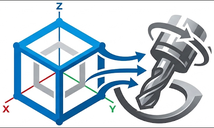
Click a face, click the edge that becomes the axis and move. In face mode only the face tilts and the connected edges grow along. In object mode the whole group rotates. Snaps to 15 degrees, to points and to parallel.
What it does
- Tilt a face or rotate an object
- Snaps to 15 degrees and geometry
- Type an angle and correct it afterwards
- Tab switches the mode
Works with
SketchUp 2026 on Windows. Interface in Dutch, German, English, French, Italian and Spanish.
More in this category
New!
New!
BlockVideo coming soon
Solid tools
 Block
Draw a solid block: line, rectangle, pull up. To lay out a space or a cabinet.
ViewSplit blockVideo coming soon
Solid tools
 Split block
Cut a block into separate blocks: click the spot or type sizes like "600 # #" or "/4".
ViewDistribute and alignVideo coming soon
Solid tools
 Distribute and align
Align, centre or evenly distribute the selected objects along X, Y or Z in one click.
View