Solid toolsVersion 1.1
 BlockNew!
Draw a solid block: line, rectangle, pull up. To lay out a space or a cabinet.
BlockVideo coming soon
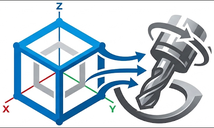
Click a line, then the rectangle and pull the block up, just like Carcass. Snapping works on everything in the model and you can type a size at every step. The block is a component without panel thickness, meant to lay out the space first and then turn it into a cabinet with Cabinet from block.
What it does
- Line, rectangle, pull up
- Snapping and typed sizes at every step
- Created as a component
- Starting point for Cabinet from block and Split block
Works with
SketchUp 2026 on Windows. Interface in Dutch, German, English, French, Italian and Spanish.
More in this category
New!
Split blockVideo coming soon
Solid tools
 Split block
Cut a block into separate blocks: click the spot or type sizes like "600 # #" or "/4".
ViewDistribute and alignVideo coming soon
Solid tools
 Distribute and align
Align, centre or evenly distribute the selected objects along X, Y or Z in one click.
ViewQuick Panel ComponentVideo coming soon
Solid tools
 Quick Panel Component
Click length and width: a fixed-thickness panel, straight away as a component.
View