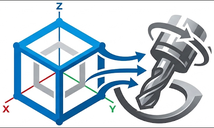
 TCN ExportRevised!
Export panels as .tcn for tpaCAD, one panel or a whole cabinet at once.
Skip the drawing work in tpaCAD. TCN Export reads the CNC operations you place on a panel with the CNC Tools and writes a .tcn file for the Format4 H200. Select a cabinet and every panel gets its own file, named after the part. Panels with machining on both faces automatically become two files: name_A and name_B. Edge drillings always go in A.
What it does
- Export per panel or per complete cabinet
- Holes, rabbets, grooves, circles and contours with true arcs
- Cutters and drills mapped through your own tool list
- Remembers the last export folder
- Two-sided panels as _A and _B
- Hinge edge of a door automatically on SIDE#3
- Warning before a mirrored export
Works with
SketchUp 2026 on Windows. Interface in Dutch, German, English, French, Italian and Spanish.
The CNC tools currently only work with Format4 CNC machines (tpaCAD, .tcn). A different brand? Contact De Makers (info@drawtocnc.com)
More in this category
 Dowel hole
Click a panel face and the hole is there, any diameter and depth.
View Shelf pin rows
Click a shelf and both side panels get a row of shelf pin holes.
View Cabinet connection 8 mm
Edge bores in the rail plus the matching holes in the side panel, in one click.
View